Bring your clients in
Add a client from one sentence, fill the details by hand, or import your whole book from a spreadsheet.
Updated 29 Oct 2026
KretaOS works from your book of clients: email syncs only for people in it, and Home ranks only what is in it. So the first job is getting your clients in. There are three ways, and you can mix them.
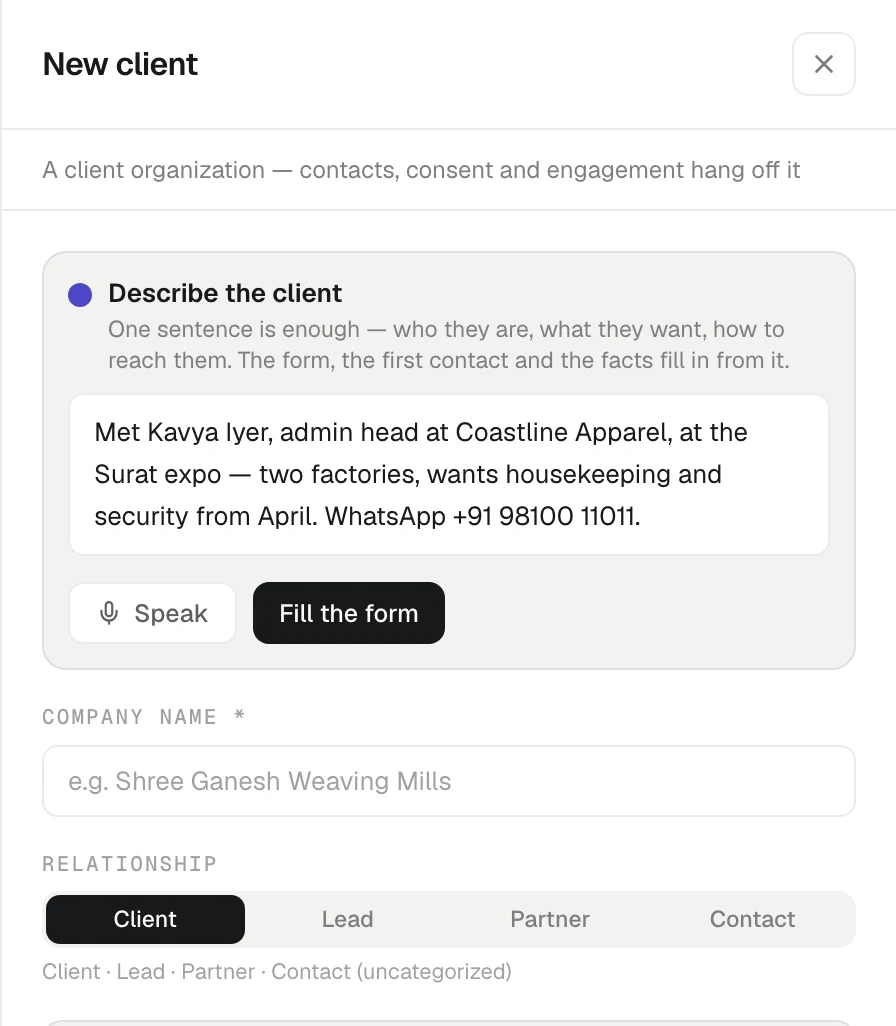
Add one client from a sentence
- Open Clients and press New client. (On a new workspace, Add a client on Home does the same.)
- In Describe the client, write what you know the way you would tell a colleague, for example: "Met Rajesh Mehta from Surat Silk Mills at the expo. Tier 1 lead, wants 200 GSM cotton poplin, worried about our lead time. WhatsApp +91 98100 11011."
- Press Fill the form. KretaOS fills the company name, relationship, tier, the first contact and their number. If AI is unavailable, it says "AI is unavailable right now — fill the fields by hand." and the form below works as usual.
- Check the form and press Create client.
Anything useful in your sentence, such as the worry about lead time, is kept as a fact on the new client's memory.
Fill the form by hand
You can skip the sentence and type straight into the form. Only Company name is required. Choose a Relationship (Client, Lead, Partner or Contact; see Clients, leads and partners). Under More details you can add industry, region, website, tier, status, lead source, Referred by, tags and an About note. The first contact's name, role, email and WhatsApp go at the bottom.
Import your whole book
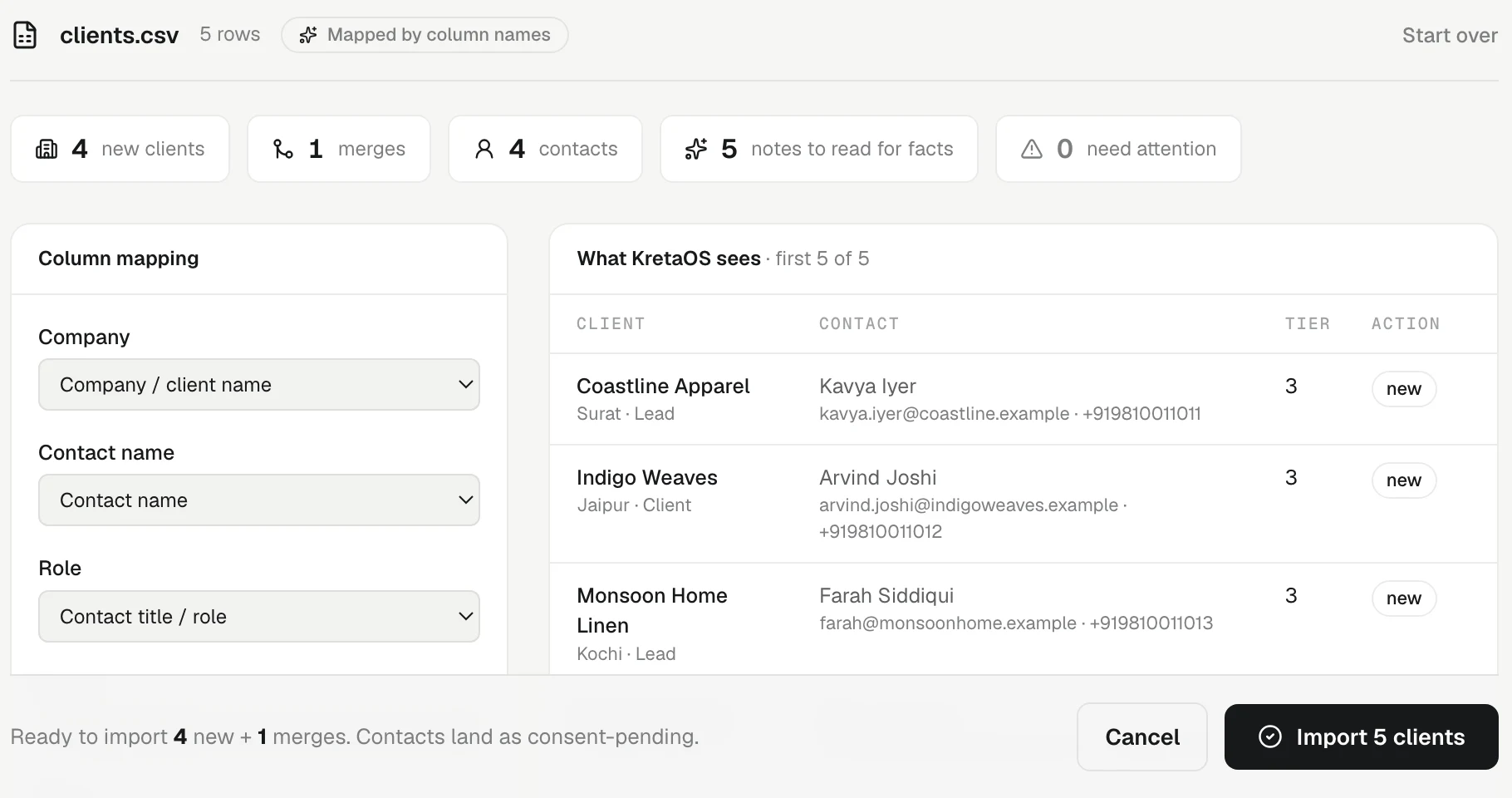
If your clients live in Excel, Google Sheets or another CRM, export a CSV or Excel file and import it from Settings › Import. KretaOS maps your columns, flags rows that look like people you already have, and turns notes into facts. Importing is for Admins. See Import a CSV or Excel file.
Or just ask
Open Ask AI and say "add Shree Ganesh Weaving Mills in Surat as a lead, contact Priya Shah, priya@sgwm.example". It asks before creating anything that looks like an existing record.
Good to know
- Already in your book? If the name, email or phone matches someone you have, the form asks Is this someone already in your book? with links to them. Open the existing record, or press No — create … as a new record.
- Add the people too. Email syncs for each person with an email address. Open the client and use Add contact under People. See People.
- Connect Google next. Mail with the people you added — and anyone you add later — is picked up on the next sync.
Related
- Clients, leads and partners — The four kinds of record on the Clients page, the statuses each one moves through, and how a lead becomes a client.
- People — Add the people you deal with at each client, keep their numbers and consent, and use their page as a person-level history.
- Import clients from CSV or Excel — Bring your existing client list into KretaOS from a spreadsheet. KretaOS maps the columns, you review, and every import can be undone.
- Duplicates and merge — How KretaOS spots a record entered twice, why it never merges on its own, and what happens when an admin merges two records.
- Bring your clients in — Add one client in a sentence, or bring your whole book from a CSV or Excel file — an import can be undone straight after.
Or write to contact@tamkis.com