Clients, leads and partners
The four kinds of record on the Clients page, the statuses each one moves through, and how a lead becomes a client.
Updated 4 Nov 2026
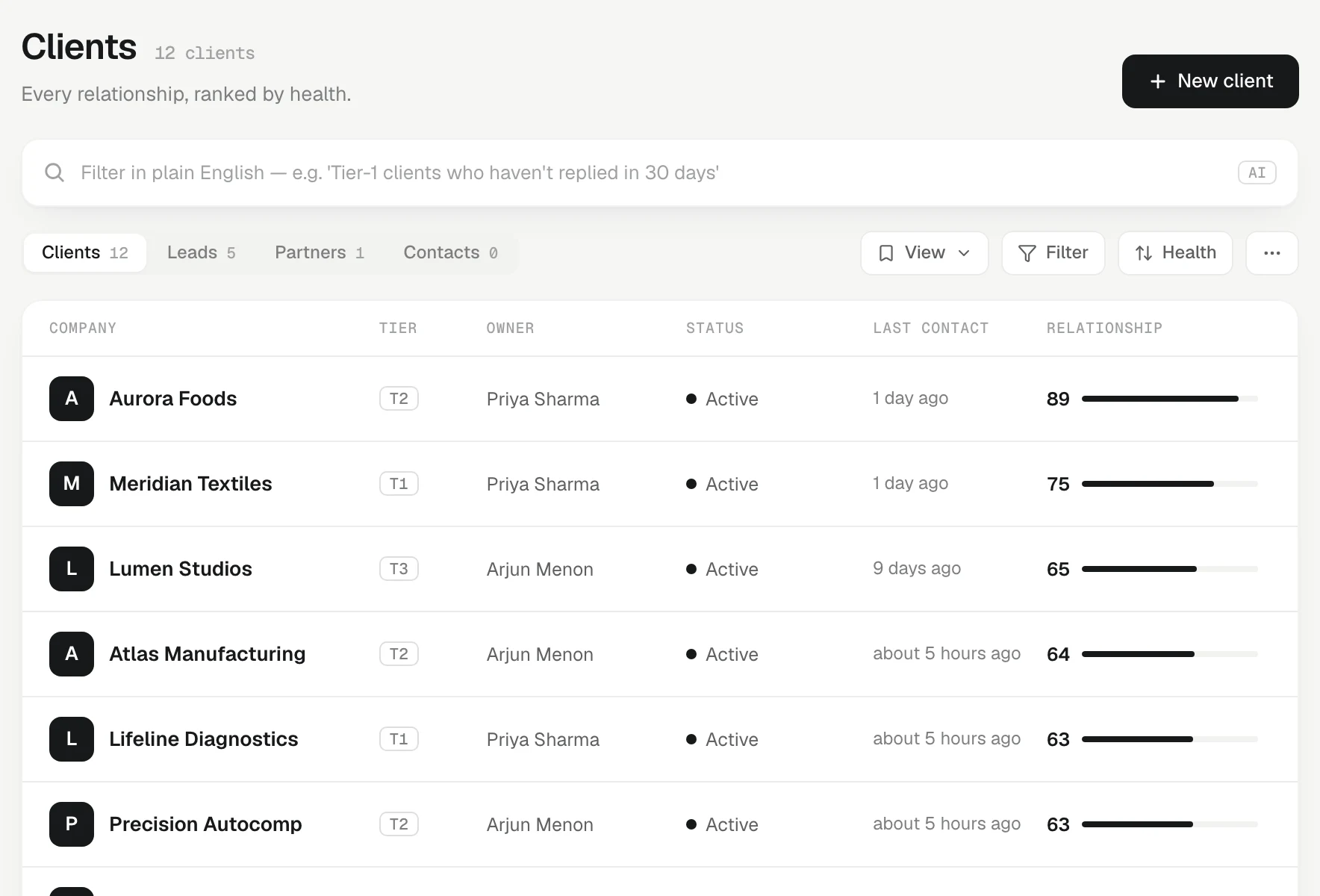
Every company or person you deal with is one record on the Clients page. What the record is to you (its kind) is kept separate from where it is in its life (its status), so a lead can move along without becoming a different record.
The four kinds
The tabs at the top of Clients are the kinds:
- Clients: you sell to them and look after them today.
- Leads: you are trying to win them.
- Partners: you work with them rather than sell to them: a channel partner, an agent, a supplier who sends you business.
- Contacts: a record you have not sorted yet. It sits quietly, without reminders or nudges, until you make it a client, lead or partner.
To change a record's kind, open it, press Edit, and pick under Relationship — which tab this record lives under. The Edit client panel saves each field as you leave it, and again when you press Done, press Escape or click outside; a field it can't save shows why right under it. A website needs a real address, such as example.in.
New client starts on the kind of the tab you are on: from the Clients tab it makes a client, from Leads a lead.
Statuses
A lead moves along its own ladder:
- New: identified, not yet contacted.
- Contacted: first contact made.
- Qualified: fits, has budget and authority. A real pursuit.
- Dormant: went cold; revisit later.
- Lost: dead. It stops earning reminders.
Clients, partners and contacts are either Active (a live relationship) or Dormant (parked, no nudges).
There is no "Won" status for a lead. A won lead becomes a client: its kind changes.
How a lead becomes a client
You can change the kind by hand at any time. Deals also move leads for you, forward only:
- Add a deal to a New or Contacted lead and it becomes Qualified.
- Move a lead's deal to won (or delivered) and the lead becomes a Client.
- A lost deal never promotes a lead.
Every such change is recorded in the workspace's audit trail.
Your workspace may call these statuses something else; an admin can rename them in Settings › Pipeline. The meaning never changes.
Tier and owner
Under Edit you also set:
- Tier: T1, T2 or T3. Tier 1 is your most important. Tier 1 and 2 clients are expected to hear from you more often, which shapes Home and the relationship score.
- Owner: the teammate who looks after the client, or Nobody.
- Team — also working this client: teammates who help with it. See Client collaborators.
Finding records
- Type in the filter bar in plain English: "Tier-1 clients who haven't replied in 30 days".
- Press Filter for the quick filters Going quiet, Never contacted, At risk and No owner, and on a team for Owner (Anyone, Me or a teammate).
Going quiet means nobody has been in touch for longer than the client's tier expects — more than 10 days for Tier 1 and 2, more than 21 for Tier 3. A client you spoke to this morning is never going quiet, even with an overdue follow-up. Never contacted lists records nobody has been in touch with yet; their score shows — and they sort last, because there is nothing to score.
Save a combination you use often as a saved view.
A client's page
Open any record and the Overview tab is the one-screen read: any suggested updates from a recent touch, the Relationship summary, the next step, the people, the Open promises and the last three touches. When something arrived since you last opened the record, one line says so, such as "3 new since Tue: 2 touches, 1 fact", and a dot marks the tab it landed on. The rest is one tap away: Timeline (every touch, with the engagement numbers; chips narrow it to one channel or one person), Memory (every live fact and the custom fields), Deals (open deals first, soonest expected close at the top, then closed ones) and About (who is on the client — Owner, Team and who is In the loop on each open task — then the About text, Team comments, newest first, and Research).
The next step is always a real follow-up. With one open, Done asks what happened and Snooze moves it. With none, the rail says No follow-up set and offers Tomorrow, In 3 days and Next week. The tab is part of the link, so a teammate you send it to lands on the same one.
Related
- Pipelines and stages — The two ladders KretaOS runs (where a lead is, and where the money is), and how an admin names stages and adds pipelines.
- People — Add the people you deal with at each client, keep their numbers and consent, and use their page as a person-level history.
- The relationship score — A 0 to 100 health number for every client, worked out from six plain parts with no AI, and what moves it.
- From lead to client — Two ladders, not one funnel — how a lead moves forward, and how a deal turns it into a client by itself.
Or write to contact@tamkis.com