Pipelines and stages
The two ladders KretaOS runs (where a lead is, and where the money is), and how an admin names stages and adds pipelines.
Updated 8 Oct 2026
KretaOS runs two ladders, the way modern CRMs do. A lead moves through statuses as you get to know them. A deal moves through stages as money gets closer. Keeping them apart means a client with three deals is still one client, and a lead can be qualified before any money is discussed.
The lead ladder
New → Contacted → Qualified, with Dormant and Lost as ways out. A won lead becomes a Client. Clients and partners are Active or Dormant. See Clients, leads and partners.
The deal stages
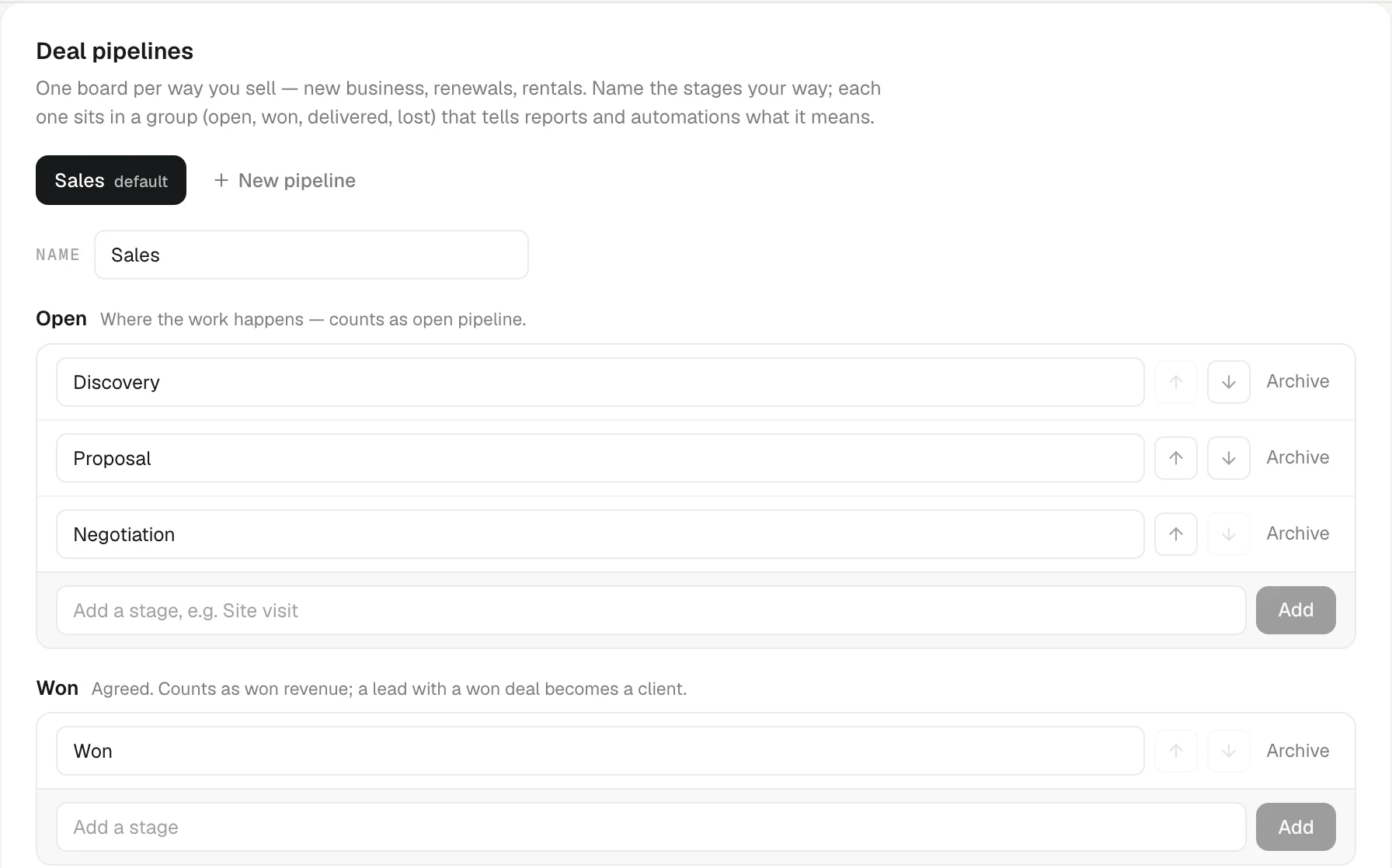
The default pipeline, called Sales, has:
- Discovery: needs and fit being explored.
- Proposal: an offer or demo is on the table.
- Negotiation: price and terms being agreed.
- Won: agreed and committed.
- Delivered: fulfilled, with post-purchase follow-up. Still counts as won money.
- Lost: lost from any open stage.
Only Discovery, Proposal and Negotiation count as open pipeline. Won and Delivered count as won revenue.
The ladders talk to each other: a deal on a New or Contacted lead makes it Qualified, and a won deal on a lead makes it a client. A lost deal never promotes anyone.
Rename the stages
Open Settings › Pipeline.
- Under Lead and client statuses, pick a Preset (KretaOS default, or Buyer-centric, which names each step by what the buyer has done) or type your own names, then press Save names.
- Under Deal pipelines, type over a stage's name to rename it.
The meaning of each stage never changes, so reports, automations and Ask AI keep working whatever you call it. Ask AI understands your names: "move the Nashik deal to Site visit".
More than one pipeline
If you sell in more than one way, say new orders, annual rate contracts and machine rentals, give each its own board.
- In Deal pipelines, press New pipeline, name it and press Add.
- Its stages sit in four groups: Open (counts as open pipeline), Won (won revenue; a lead with a won deal becomes a client), Delivered (optional, still won revenue) and Lost (where the board's lost button — named after this stage, Lost by default — sends a deal).
- Add a stage to a group with its Add a stage box, such as Site visit under Open or No budget under Lost. Reorder with the up and down arrows.
Each pipeline needs at least one open, one won and one lost stage. You can have up to 10 pipelines and 15 stages in each.
Archive, never delete
Stages and pipelines are archived, never deleted. KretaOS refuses to archive a stage while a deal sits in it, or a pipeline that still has open deals; move or close them first. On Deals, each pipeline gets its own tab, and a deal moves only between the stages of its own pipeline.
Related
- The deals board — Add deals, move them stage by stage, mark them lost, filter by owner, switch to a table, and read what each card tells you.
- Clients, leads and partners — The four kinds of record on the Clients page, the statuses each one moves through, and how a lead becomes a client.
- Pipeline and stage names — Rename deal stages and lead statuses to the words your team uses, add pipelines and stages, without breaking any report.
- Your own stages and pipelines — Name the stages the way your team talks, add stages of your own, and run a separate board for each way you sell.
Or write to contact@tamkis.com