Your own stages and pipelines
Name the stages the way your team talks, add stages of your own, and run a separate board for each way you sell.
Lesson 3 of 5 5 minUpdated 8 Oct 2026
Out of the box a deal moves Discovery → Proposal → Negotiation → Won → Delivered, with Lost off to the side. Your team may say "Site visit" or "PO received" instead. You can change the words, add stages, and keep more than one board — without breaking a single report.
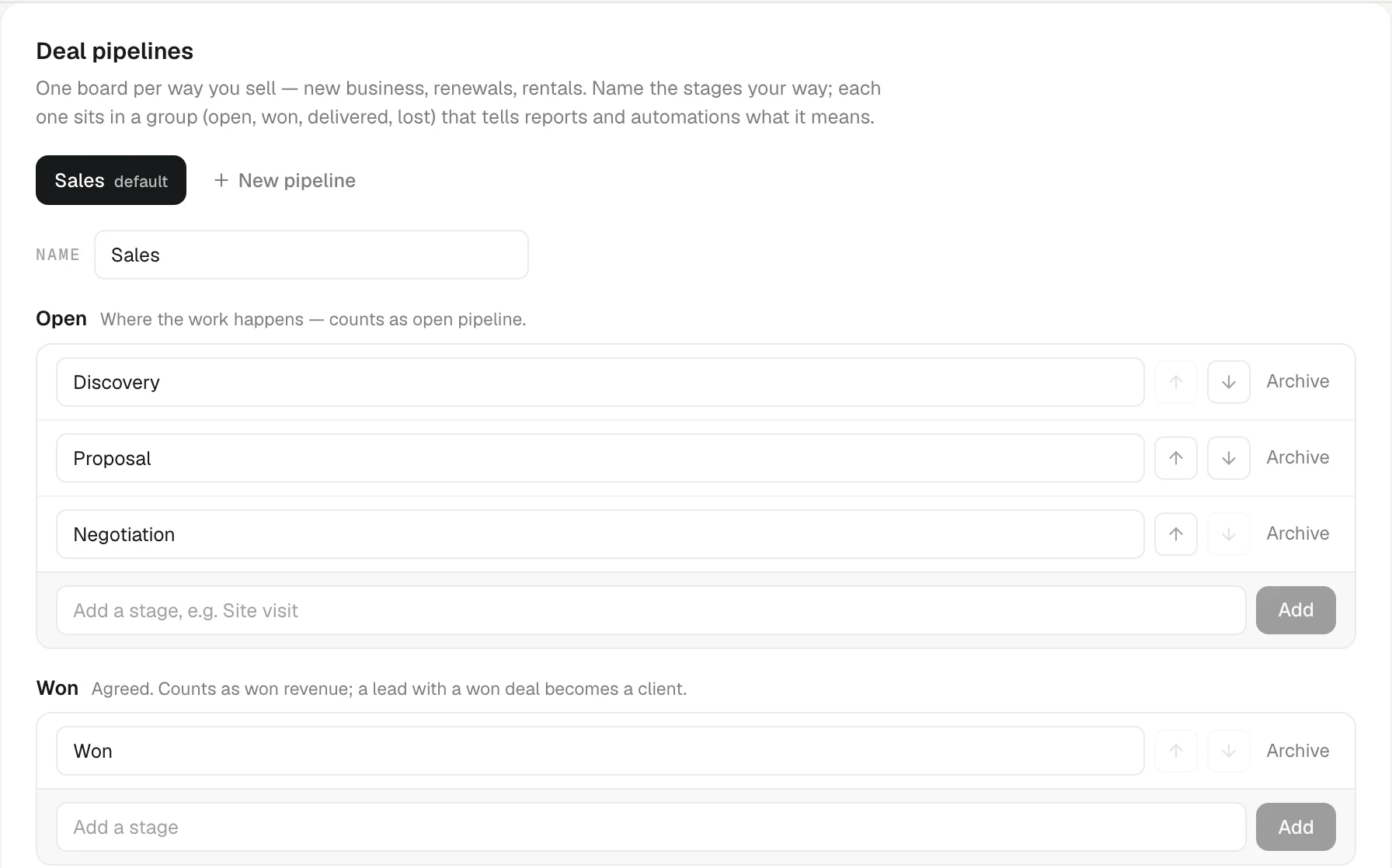
All of this lives in Settings › Pipeline. Everyone can read it; only an admin can change it.
Every stage has a fixed meaning
The page groups stages by what they mean:
- Open — where the work happens. Counts as open pipeline.
- Won — agreed. Counts as won revenue, and a lead with a won deal becomes a client.
- Delivered — optional, fulfilled after winning. Still won revenue.
- Lost — off the forward path. The board's button named after this stage (Lost by default) moves a deal here.
You choose the names. The group never changes. That is why reports, automations and Ask AI keep working whatever you call things: a stage named "PO received" in the Won group is counted as won, everywhere.
Rename the built-in stages
Under Deal pipelines, click a stage name, type the new one and click away. Every chip, column and card picks it up.
The lower card, Lead and client statuses, does the same for the lead ladder (New, Contacted, Qualified…) and the client lifecycle. It also has a Preset row: KretaOS default, or Buyer-centric, which names each step by what the buyer has done — "Need confirmed", "Offer reviewed", "Committed". Press Save names when you are done.
Add a stage of your own
Each group has its own box at the bottom:
- In Open, type a stage such as "Site visit" and press Add.
- Use the up and down arrows to put it in the right place within the group.
- In Lost, you can add reasons as stages — "No budget", "Went with a competitor" — so a lost deal says why.
More than one pipeline
A distributor selling new machines and annual maintenance contracts runs two different processes. Give each its own board:
- Press New pipeline, type a name such as "Renewals", and press Add.
- Rename its stages to fit and add any it needs.
A pipeline needs at least one open, one won and one lost stage; KretaOS refuses an edit that would leave one out. Once a workspace has more than one pipeline, the Deals board shows a tab per pipeline with its open count. A deal only moves between stages of its own pipeline.
Nothing is deleted
A stage or pipeline you no longer use is archived, not deleted. KretaOS will not archive one while deals still sit in it — move them first. Closed deals stay in your reports.
Try it
- Open Settings › Pipeline.
- If you are an admin, click Proposal under Deal pipelines, rename it to what your team says (for example "Quotation sent"), and click away.
- Open Deals — the column now carries your name.
- Rename it back if you were only trying it out.
Or write to contact@tamkis.com