Export your data and handle erasure requests
Download your workspace's data as JSON or Excel-ready CSV files, and record a contact's request to have their data erased.
Updated 8 Oct 2026
Your data is yours. An admin can take a full copy of the workspace at any time, and anyone who works with clients can record when a contact asks to have their data erased.
Export everything as JSON
- Go to Settings › Workspace and open Data & consent.
- Beside Your data, click Export →.
You can also click Export workspace data at the top of Settings › Compliance. The file holds clients, people, conversations, memory, tasks, deals, consents and the audit trail.
Export one table as CSV
Under Export as CSV in Data & consent there is one link per table: Clients, Contacts, Deals, Messages, Tasks, Memory and Promises.
- Each file opens cleanly in Excel or Google Sheets.
- Names appear beside their ids, so you can read a row without looking anything up.
- Dates come twice — in UTC and in India time.
- Stage names are your workspace's own names.
Exports follow the same privacy rules as the app. Mail that is private to a teammate is not in your export unless you could read it in KretaOS. Each CSV file you download is recorded in the audit log.
Record an erasure request
When a contact asks you to erase their personal data:
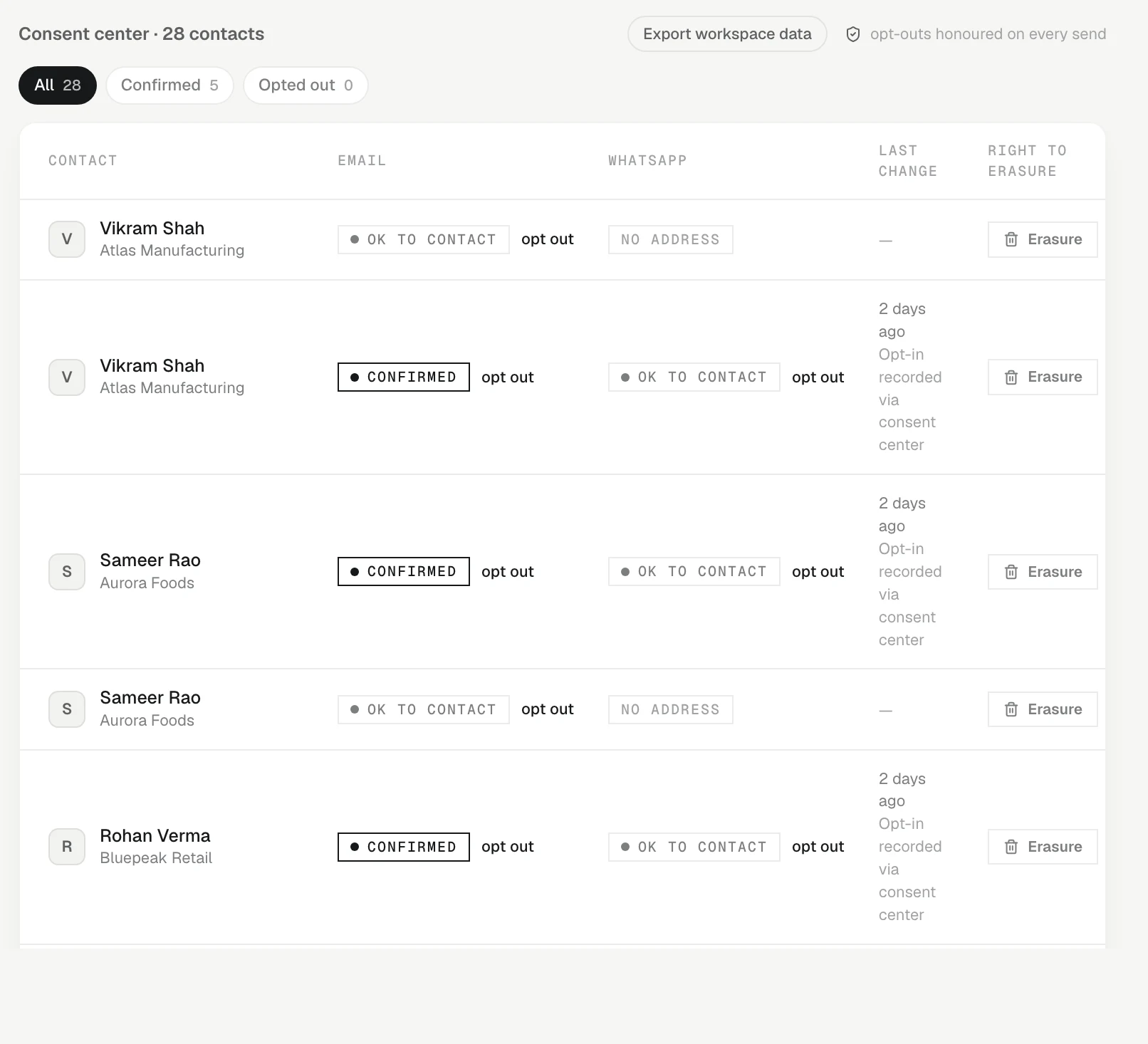
- Go to Settings › Compliance.
- Find the contact and click Erasure in the Right to erasure column.
- The button changes to Request opened.
This does not delete anything yet. It does two things:
- Creates a task on your Agenda, due in 7 days, to verify who asked and complete the request.
- Writes an entry in the audit log, so there is a record of when the request arrived.
Complete the erasure
The erasure itself is done by the KretaOS team, after the request has been checked. Email contact@tamkis.com from your work address with the contact's name and the link to their contact page. When it is done, the contact's name, the content of their messages and the facts drawn from them are blanked, while dates and the consent trail are kept. See Erasure for exactly what changes.
Related
- Erasure — How a contact's personal data is erased from KretaOS on request — what you do, what the KretaOS team does, and what is kept.
- Consent and the DPDP Act — A dated consent record per contact and channel: opt-outs are always honoured, and a recorded yes can be required.
- The audit log — A permanent record of every send, every blocked send and every consent change in your workspace — and who or what did it.
- Delete my account — Close your own KretaOS account. Access ends now, Google is disconnected, and your personal data is erased within 30 days.
Or write to contact@tamkis.com