The audit log
A permanent record of every send, every blocked send and every consent change in your workspace — and who or what did it.
Updated 29 Oct 2026
The audit log is your workspace's record of important actions. When a client asks "why did you message me?", or you need to show when a contact gave consent, this is where you look.
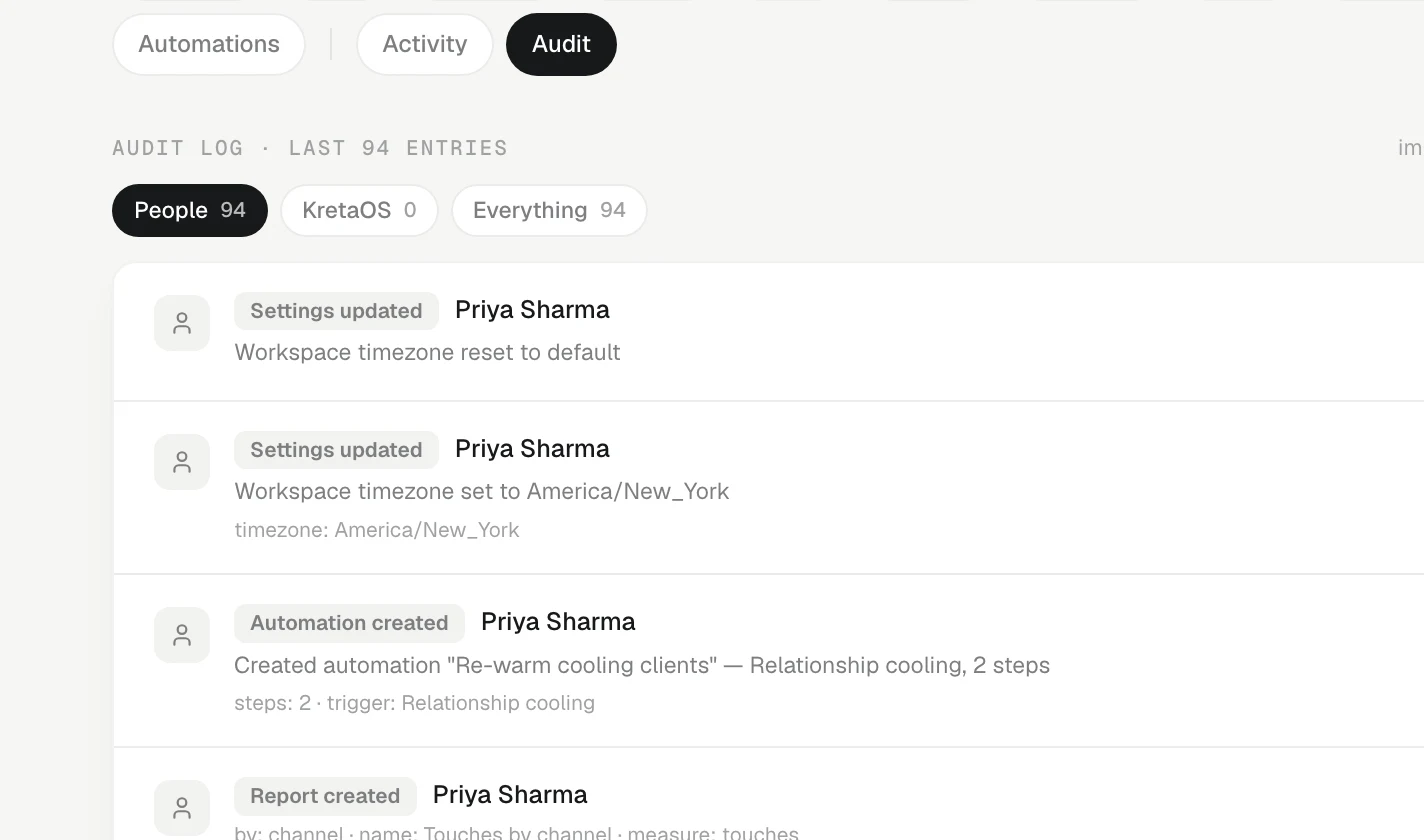
Open the audit log
Go to Settings, choose Data, then Activity, and switch to Changes only — or open the audit log directly. It shows the most recent 200 entries, newest first, 50 to a page, grouped under Today, Yesterday and earlier dates.
What it records
Among other things:
- Every message sent from KretaOS, and every send that was blocked — for example, because the contact had opted out.
- Consent changes — a recorded yes, an opt-out, and where each came from.
- Changes to who a message goes to — a contact's email address or WhatsApp number changed, with the old and new value.
- Team and access changes — invites, role changes, people leaving the team and handovers.
- Imports and undos, data exports, and erasure requests.
- Merges of duplicate records.
Each entry is one line: the time, who did it, what happened and its type. Point at a line to see any extra detail, such as the reason or the record it concerned. Entries are written in plain words: people by name, stages by your own stage names, fields by their labels and amounts as money — for example "Annual order" moved from Discovery to Proposal, never an internal code.
Narrowing it down
One bar holds every filter: Everything or Changes only, then who, then what type.
- People — actions taken by members of your team. This is where it opens. Admins can also pick one person; a member or viewer sees only their own, shown as What you did.
- KretaOS (automatic) — work KretaOS did by itself, such as reminders, memory upkeep and automations.
- People and KretaOS — both together.
- Every type — or pick one kind of entry, such as sends or consent changes.
Blocked sends are marked dark, so they stand out.
It cannot be changed
Entries in the audit log are never edited or deleted — by you, by your admin, or by KretaOS. Even when a contact's personal data is erased, the record that the erasure happened stays.
Everything or Changes only?
Activity in Settings has two views:
- Everything is the relationship feed — calls, messages and notes with clients, in plain words. Filter it to Logged by you, KretaOS (automatic) or one person, and by type (Email, WhatsApp, Call…).
- Changes only is this audit log — who sent what, what was held, what changed.
Related
- Consent and the DPDP Act — A dated consent record per contact and channel: opt-outs are always honoured, and a recorded yes can be required.
- Erasure — How a contact's personal data is erased from KretaOS on request — what you do, what the KretaOS team does, and what is kept.
- Why a send was held — When KretaOS stops a message, it says which check stopped it, that nothing was sent, and the one step that fixes it.
- Export your data and handle erasure requests — Download your workspace's data as JSON or Excel-ready CSV files, and record a contact's request to have their data erased.
Or write to contact@tamkis.com