How much the AI does on its own
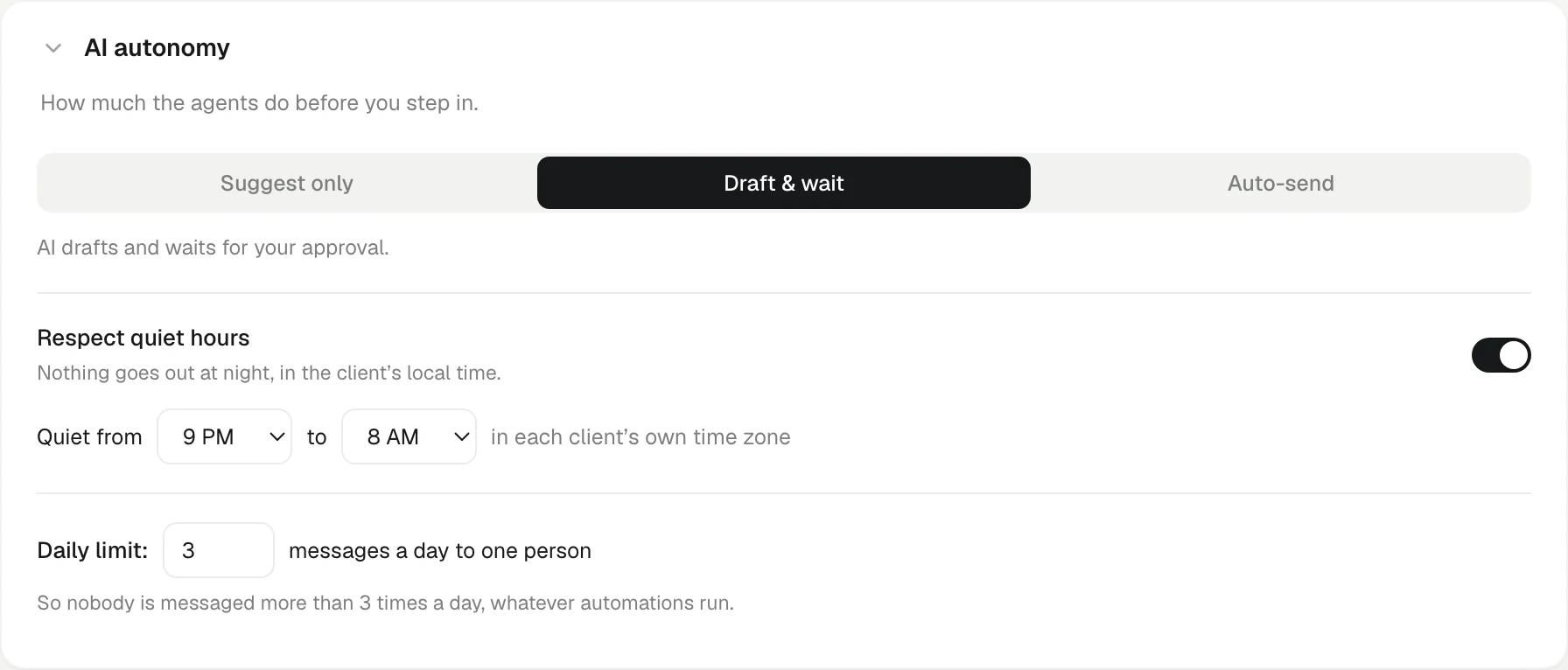
Suggest only, Draft & wait or Auto-send — one workspace setting decides whether automations only suggest, draft for approval, or send.
Updated 29 Oct 2026
Automations can reach out to clients for you. How far they go is one setting for the whole workspace, called AI autonomy. The default is the careful middle: KretaOS drafts, and a person approves before anything goes out.
The three modes
| Mode | What an automation's message steps do |
|---|---|
| Suggest only | KretaOS only suggests — nothing is sent without you. A bell note says, for example, that an automation "suggests reaching out to Northwind". No draft is written. |
| Draft & wait (default) | AI drafts and waits for your approval. The draft is parked until someone approves it. |
| Auto-send | Automations can send on their own, within your rules — WhatsApp from a connected team number. Email still waits for a click, because it goes out from a teammate's own mailbox. |
Whatever the mode, every message still passes the same checks before it leaves: that the client has not opted out of that channel, their quiet hours and the daily limit. See Consent, quiet hours and the daily limit.
Change the mode
- Open Settings › Workspace and find AI autonomy.
- Choose Suggest only, Draft & wait or Auto-send.
The change applies at once to every automation. Members and managers see the mode as a plain statement with "Set by your admin".
Approving drafts
Under Draft & wait, parked messages wait on Automations. The header counts them ("2 awaiting you"), each one shows a preview, and you get a bell note too.
- Approve sends it now. Email goes out from your own Gmail.
- Dismiss drops it. Nothing is sent.
Auto-send and email
An email can only leave from a person's own Gmail. So when an automation runs by itself in the background, with nobody signed in to send it, its email is parked for approval even under Auto-send. KretaOS never pretends a message was sent when it was not. WhatsApp messages from a team number can go out on their own under Auto-send.
Good to know
- This setting covers automations. When you write or draft a message yourself in the Inbox, or ask the AI assistant to draft one, you always press Send yourself.
- Suggest only writes no drafts. Approving a suggestion means opening the client and writing the message yourself.
- Every send is logged on the client's timeline and in your audit log, whichever mode sent it.
Related
- Automations — Let KretaOS do the routine follow-through — re-warm cooling clients, nudge after a proposal, share new leads.
- Steps — What each automation step does — wait, check a condition, draft with AI, send, create a task, notify, fill fields and more.
- Why a send was held — When KretaOS stops a message, it says which check stopped it, that nothing was sent, and the one step that fixes it.
- Automations — Let KretaOS do the repeat work — chase overdue follow-ups, re-warm quiet clients, share new leads — with every send under your control.
Or write to contact@tamkis.com