Triggers
The trigger is the "when" of an automation. Here is every trigger KretaOS offers and when each one fires.
Updated 29 Oct 2026
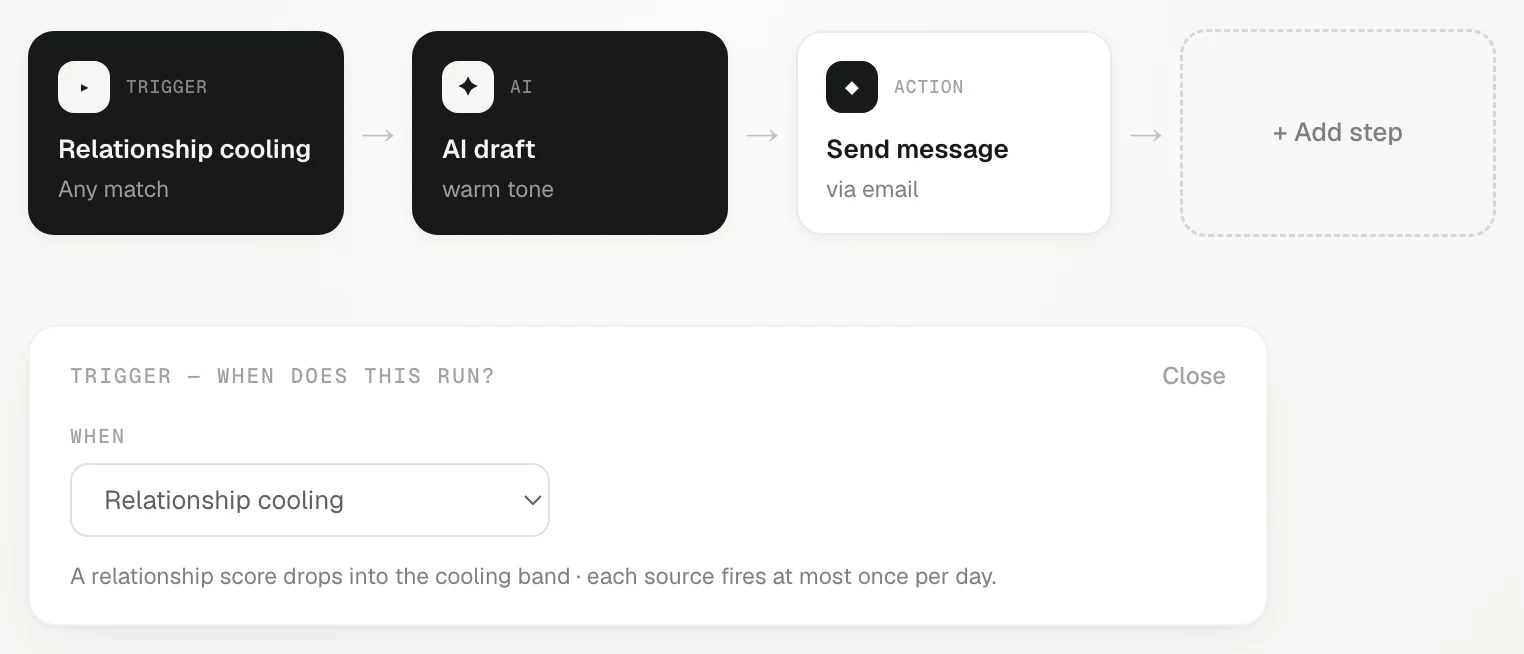
Every automation starts with one trigger: the event that makes it run. In the builder, click the first card, "Trigger — when does this run?", and pick from the list.
Triggers on your clients and deals
| Trigger | Runs when |
|---|---|
| Relationship cooling | A client's relationship score drops into the cooling band. |
| Deal changes stage | A deal moves on the board. Pick a Stage (optional) to run only when a deal reaches that stage, for example "Deal moves to Proposal". Stages from all your pipelines are listed with your own names. |
| Client replies | A message from a client comes in: an email synced from Gmail, a WhatsApp message, or a reply you log by hand. |
| Follow-up goes overdue | An open task passes its due date. A task that an automation created doesn't count, so a chase task never sets off another chase. |
| A new record is added | A client, lead, person or deal is created. Choose which: Client / lead, Person or Deal, and for clients a Kind (optional): lead, client or partner. |
| A field changes | Someone changes one of your own client fields. Pick the field, and optionally the value it Changes to, such as Plan → Gold. |
Triggers on a schedule
| Trigger | Runs |
|---|---|
| Every day | Once a day. |
| Every Monday | Once a week, on Monday. |
| On the 1st of the month | Once a month. |
Scheduled automations are good for a daily nudge or a weekly review, like the Daily pipeline pulse template.
A form or app sends a lead
A form or app sends a lead gives the automation its own web address. Your website form, Zapier, Make or an IndiaMART bridge posts new enquiries to it, and each one arrives in KretaOS as a lead. Only an admin can set this up. See Leads from a form or app.
Good to know
- At most one run a day for the same thing. If the same client, deal or task sets an automation off twice in one day, it runs once.
- Only a person's edit fires A field changes. A field filled by an automation or by AI does not set off other automations, so automations cannot loop.
- Change the trigger any time by clicking its card. Save to keep the change.
Related
- Automations — Let KretaOS do the routine follow-through — re-warm cooling clients, nudge after a proposal, share new leads.
- Steps — What each automation step does — wait, check a condition, draft with AI, send, create a task, notify, fill fields and more.
- Leads from a form or app — Give an automation its own web address so your website form, Zapier, Make or IndiaMART can post enquiries as leads.
- Custom fields — Add the details your team tracks that KretaOS does not have yet, such as a GSTIN, a city or a renewal date, on clients, people and deals.
Did this answer it?
Or write to contact@tamkis.com