Tags
Label clients with short tags such as cotton or export, and use them to filter your list and saved views.
Updated 8 Oct 2026
Tags are short, free labels you put on a client: cotton, export, gst-pending, diwali-order. Use them for groupings that do not deserve a field of their own and that you want to filter by later.
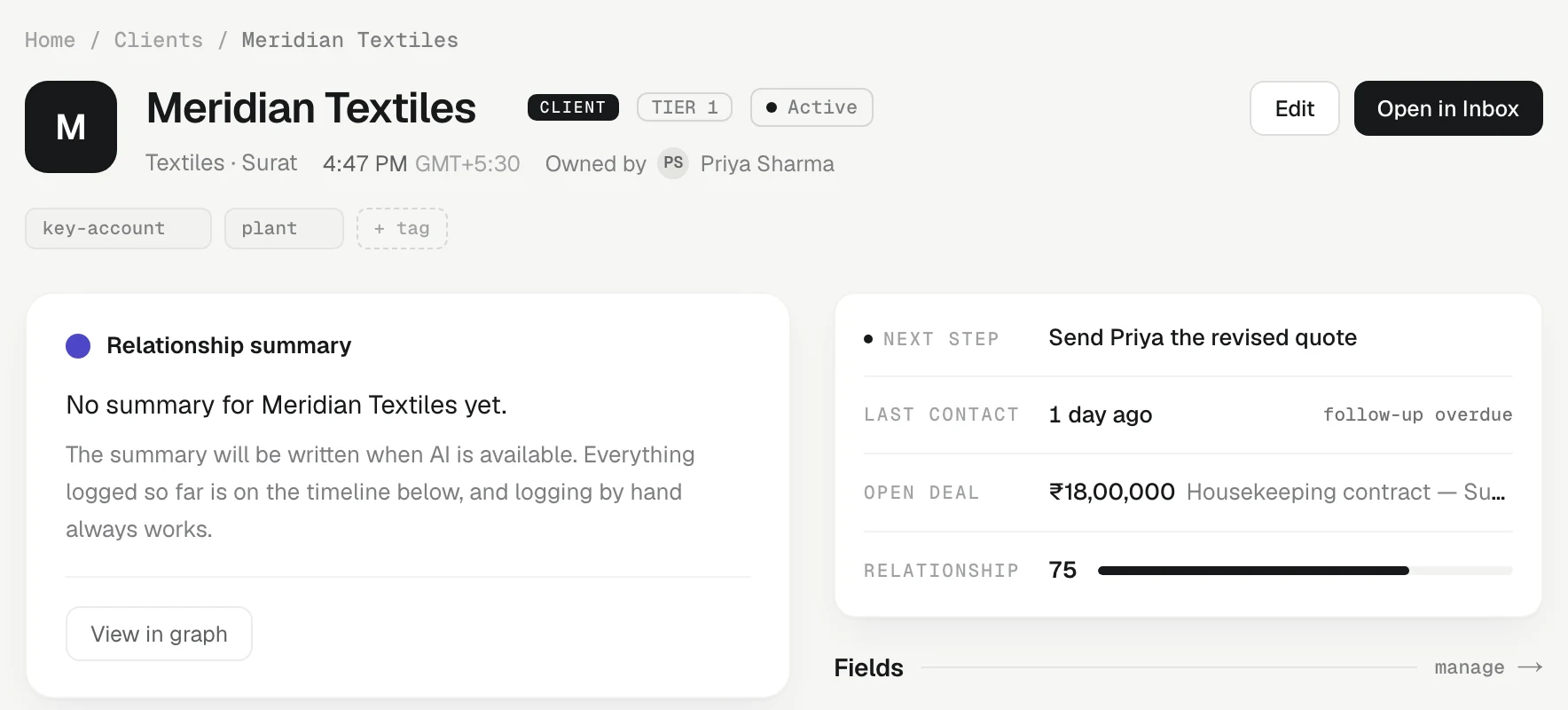
Add and remove tags
On a client's page, the tags sit as small chips near the top.
- Press + tag.
- Type the tag in the tag… box and press Enter. Press Escape to cancel.
- To remove a tag, press the × on its chip.
You can also add tags when you create a client: the New client form has a Tags box under More details, where you separate tags with commas (cotton, poplin, export).
Or ask: tell Ask AI "tag Surat Silk Mills priority".
How tags are kept
- Tags are saved in lowercase, so Export and export are one tag.
- The same tag is never added twice to one client.
- A client can carry up to 12 tags. If you need more, a custom field with fixed choices is usually the better tool.
Filter by tag
On Clients, press Filter, choose Tags under By field, then a condition such as contains, and type the tag. The list narrows at once, and the filter shows as a chip you can remove with its ×.
Combine it with other filters, such as Region contains Surat and Last contact more than 30 days ago, then save the result as a saved view so the whole team can open "Surat cotton buyers gone quiet" in one click.
Tags or a custom field?
- Use a tag for loose, changing labels anyone may add: a campaign, a season, a temporary state.
- Use a custom field when every client should have a value from a fixed list, such as Customer type (Distributor, Retailer, Exporter), or a typed value like a GSTIN or a renewal date. Fields are set up by an admin, keep their spelling consistent, and can be sorted and shown as columns.
Related
- Saved views — Filter, sort and add columns to your Clients list, then save it as a named view for yourself or the whole team.
- Custom fields — Add the details your team tracks that KretaOS does not have yet, such as a GSTIN, a city or a renewal date, on clients, people and deals.
- Clients, leads and partners — The four kinds of record on the Clients page, the statuses each one moves through, and how a lead becomes a client.
Or write to contact@tamkis.com