Correcting a fact
Edit a fact that is slightly off, remove one that is wrong, and how KretaOS makes sure your correction sticks.
Updated 8 Oct 2026
KretaOS reads facts out of what your team logs and syncs, and sometimes it gets one slightly wrong. Fixing it takes a few seconds, and once you have fixed it, your version wins for good.
Edit a fact that is nearly right
- Open the client, open its Memory tab and find the fact.
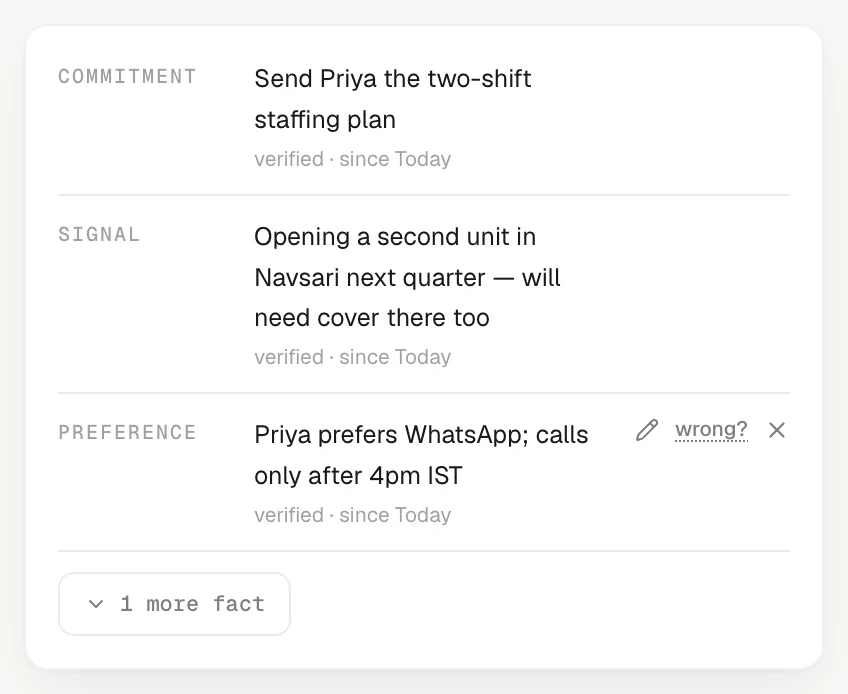
- Press the pencil (Edit fact). On a computer it appears when you point at the row; on a phone it is always shown.
- Change the wording, for example "wants 180 GSM" to "wants 180 GSM, sample first".
- Press Save.
The fact now reads confirmed. KretaOS saves your wording as a new version and keeps the old one on record; it never quietly rewrites what was there.
Remove a fact that is wrong
Each fact has two ways out, and both ask you to confirm:
- wrong? is for a fact that was never true. It asks Not true — remove it? Press Remove. KretaOS removes the fact and records it as a misreading, as feedback on its own reading.
- × (Remove fact) is for a fact that was true but no longer matters. It asks Remove this fact? Press Remove.
Press Keep to change your mind. A removed fact disappears from the client's memory, from drafts and from what Ask AI uses, but it is not erased from the record.
Ask AI can do it too
Tell Ask AI "Surat Silk Mills no longer works with the Pune supplier, forget that" or "remember that Priya prefers WhatsApp". Before forgetting a fact, Ask AI asks you to confirm in the chat. A fact you ask it to remember is saved as one you stated.
Why your correction sticks
KretaOS ranks where a fact came from:
- a person's edit or removal,
- something a person stated,
- something read from a touch,
- something inferred.
A higher one always beats a lower one, never the other way round. So when tonight's tidy-up finds a new email saying the old thing again, it cannot bring back a fact you removed or overrule a fact you edited.
Good to know
- A logged note stays as it was written. Touches are history, so a slip in a call note stays in the note. Correct the fact that came from it.
- Removing is not the same as keeping a promise. For a promise that was delivered, mark it Kept in the promise ledger instead of removing it. A kept promise is proof you delivered.
- Viewers cannot edit or remove facts.
Related
- Facts and where they come from — What a fact is, the six kinds KretaOS keeps, how verified and inferred differ, and how to trace a fact to its touch.
- What becomes memory — Which touches KretaOS reads for facts and promises, what it deliberately throws away, and what it never reads at all.
- Confirmations and changing things back — When Ask AI acts straight away, when it asks you first, and how to reverse a change it made.
- Correct and confirm — Fix a fact that is wrong, remove one that is out of date, and tell KretaOS something it should remember.
Or write to contact@tamkis.com