When someone leaves
Hand a leaver's whole book to a successor and remove them in one step, or move clients when someone changes team.
Lesson 5 of 5 4 minUpdated 8 Oct 2026
People move on. When they do, the worst outcome is a client nobody looks after: follow-ups due to someone who is gone, an open deal with no owner, a morning brief with no one to reach. KretaOS is built so that cannot happen quietly.
There is only one way out
You cannot delete a teammate. On Settings › Team, the way to remove someone is Leaving… on their card, and it always hands their work over first. History is never rewritten: every note, call, comment and closed deal keeps the name of the person who did it.
Read what they know
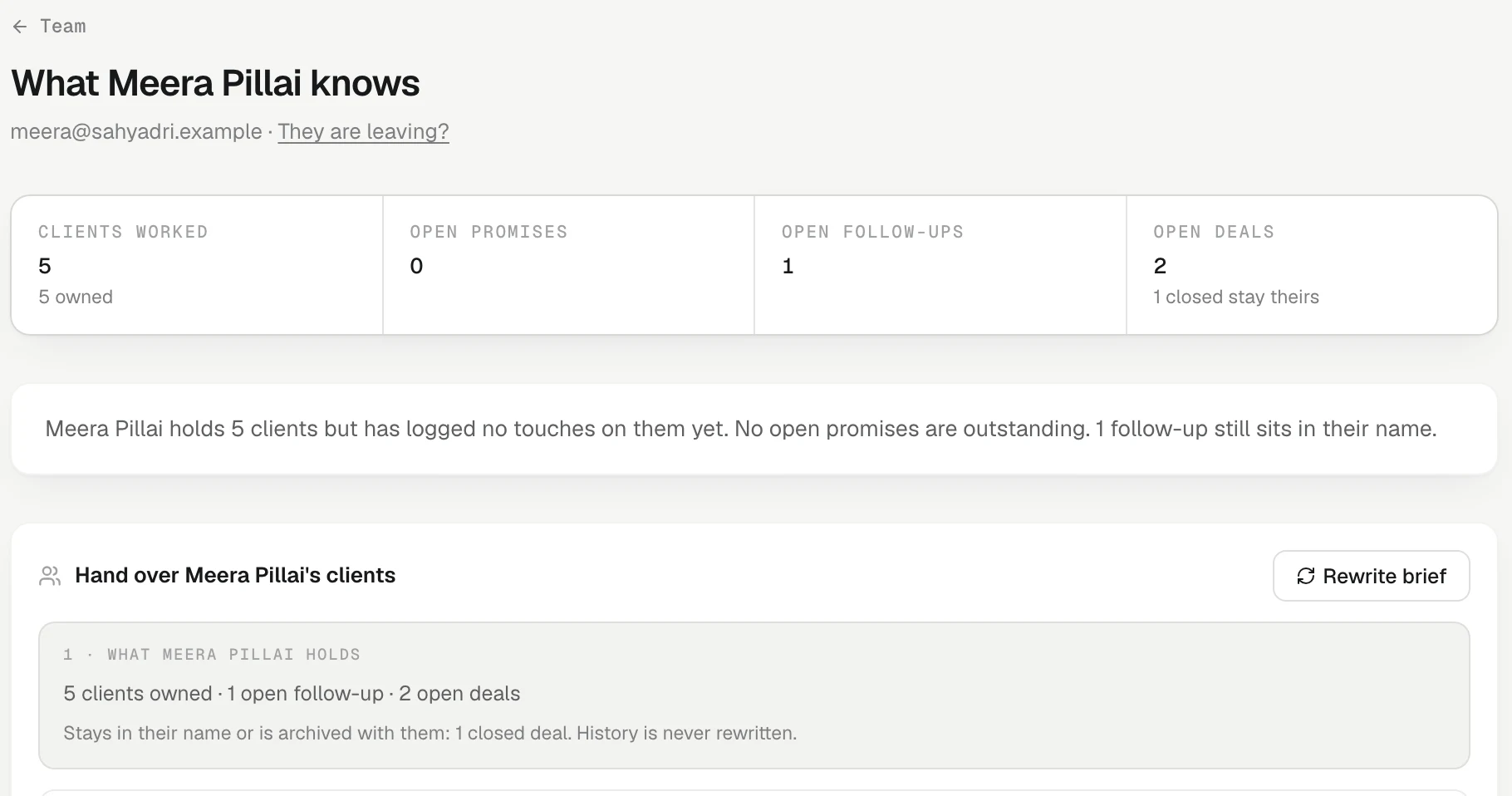
Press Handover on anyone's card, any time. The page is titled *What name* knows**: clients worked, open promises, open follow-ups, open deals, a short written brief, and their book with the clients they worked most first — open promises, what is still open in their name, and who they actually talk to at each client.
It is worth reading before anyone hands in notice. It answers "what would we lose if this person went?" while there is still time to fix it.
Someone is leaving
- On their card, press Leaving….
- What they hold lists everything that needs a new owner: clients, open follow-ups, open deals, people who report to them, scheduled reports, shared dashboards, round-robin automations, recordings not yet attached to a client. It also says what stays: closed deals stay theirs; private reports and personal targets are archived.
- Who takes over: pick a successor. To share the book out, tick Split the book between people and choose who each client Goes to.
- Tick Email them the brief, and Add an "introduce yourself" follow-up for each client — one follow-up per client, due in three days, so no client wonders who looks after them now.
- Press Continue, type the leaver's name, and press *Hand over to name* and remove**.
In that one step KretaOS moves everything, then removes them: their sessions end on every device, their Google connection is cut so their mail stops syncing, and their own WhatsApp is disconnected. Each successor gets one bell listing what they received. Every move is in Settings › Activity, under Changes only.
Someone is changing team
They stay; some clients move. Press Handover on their card, pick who takes over, untick the clients that stay with them, and press Hand over. Each client moves with its open follow-ups and open deals.
What a handover never does
It never opens private mail. Mail synced from the leaver's own inbox stays with the people on each thread, and the page tells you how many such threads there are. The successor gets everything that was logged — notes, calls, meetings, recordings and the client's memory — which is why a team that logs well loses little when someone leaves.
Try it
- Open Settings › Team and press Handover on a teammate's card.
- Read the brief and the list of their clients. Is anything at risk?
- Go back with Team at the top of the page without moving anything — or, if someone is changing team, pick a successor, untick what stays, and press Hand over.
Related
- Handover when someone leaves — Hand everything a leaving teammate holds to a successor, then remove them, in one step that keeps history intact.
- Transfer clients to a teammate — Move some or all of a teammate's clients, with their open follow-ups and deals, when they change team.
Or write to contact@tamkis.com