Handover when someone leaves
Hand everything a leaving teammate holds to a successor, then remove them, in one step that keeps history intact.
Updated 29 Oct 2026
When someone leaves, their clients, open follow-ups and open deals must not be left pointing at nobody. In KretaOS the only way to remove a teammate is the handover: everything they hold moves to a successor first, and then they are removed.
Start the handover
- Open Settings › Team.
- On the person's row, open the ⋯ menu and press Leaving….
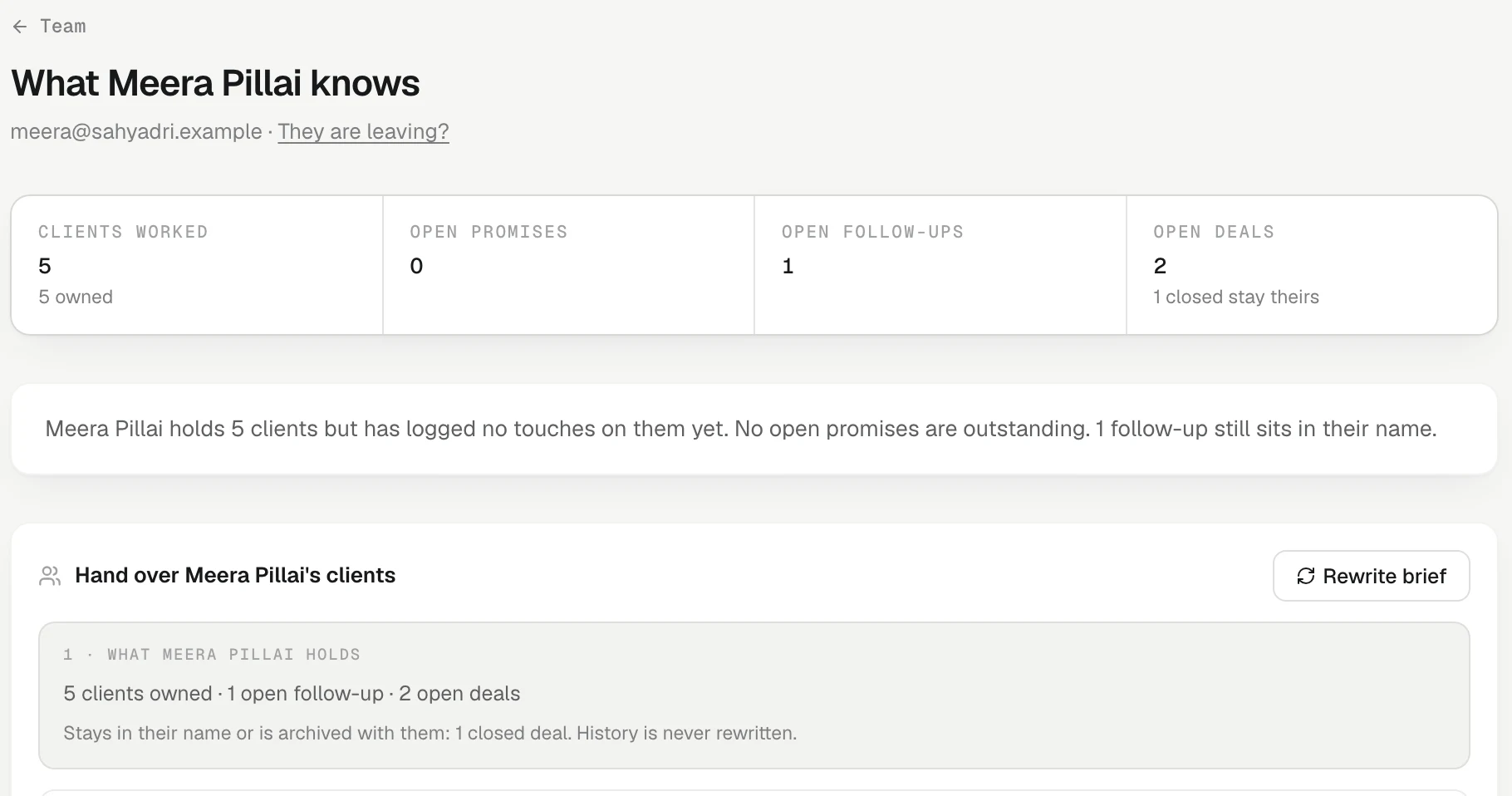
The page that opens is titled *What name* knows. It shows how many clients they worked, their open promises, open follow-ups and open deals, a short written brief of their book, and the clients they worked most. Press Rewrite brief** if you want a fresh one; the new brief replaces the old one in place and you carry on from where you were.
1 · What they hold
The first step lists everything that needs a new owner: clients owned, clients they work on, open follow-ups, open deals, people reporting to them, scheduled reports, shared reports and dashboards, round-robin automations and recordings not yet attached to a client.
It also tells you what stays with them. Closed deals stay in their name. Private reports and views, and personal targets, are archived. History is never rewritten: every note, call, comment and audit entry keeps the name of the person who wrote it.
2 · Who takes over
- Pick a successor under Choose a teammate…. Their manager is marked, if they have one.
- To give clients to different people, tick Split the book between people and choose who each client Goes to. Anything you leave on the default goes to your main pick.
- Choose the extras:
- Email them the brief — the successor gets the written brief in their inbox.
- Add an "introduce yourself" follow-up for each client — one follow-up per client, due in three days.
3 · Confirm
- Press Continue.
- Type the leaving person's name exactly as shown.
- Press *Hand over to name* and remove**.
In one step KretaOS moves the book, then removes the person: their sign-in stops working on every device, their Google connection is disconnected so their mail stops syncing, their phone stops getting notifications, and their own WhatsApp is disconnected. Each successor gets one bell listing what they received. Every move is recorded in Settings › Activity (Changes only).
If the person holds nothing, the page says so and you only type their name and press Remove.
Private mail stays private
Mail synced from the leaver's own inbox stays private to the people who were on each thread. The page tells you how many such threads there are. The successor gets everything that was logged — every note, call, meeting, recording and the client's memory — but a handover never opens a private thread.
Left the team
If someone was removed with work still in their name, the Team page shows them under Left the team with what is still to settle. Press Hand over what's left to finish the job.
Related
- Transfer clients to a teammate — Move some or all of a teammate's clients, with their open follow-ups and deals, when they change team.
- Who can see what — Which records are shared with the whole team, which messages stay private, and how roles change what you see.
Or write to contact@tamkis.com