Invite a teammate
Add someone to your workspace with the right role, once your plan is active and a seat is free.
Updated 29 Oct 2026
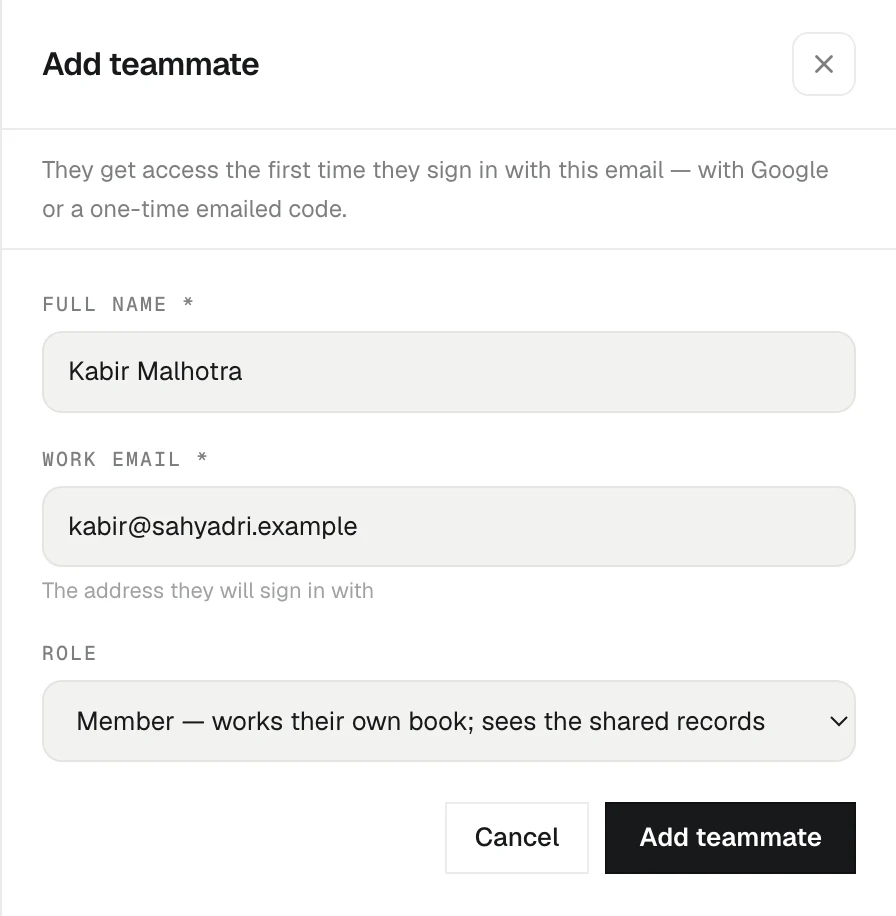
Everyone on your team works from one shared book of clients. Adding a teammate takes a name, their work email and a role.
Before you invite
Two things must be true first:
- Your plan is active. A workspace that has not paid yet, or whose plan has lapsed, cannot invite anyone. You will see "Activate your plan first" if you try.
- You have a free seat. Each person takes one seat, viewers included. If every seat you paid for is in use, buy another in Settings › Billing first. See Plans and seats.
So the order is always: activate the plan, buy the seat, then invite.
Add a teammate
- Open Settings › Team.
- Press Add teammate.
- Fill in Full name, Work email and Role. Use the email they will sign in with.
- Press Add teammate.
KretaOS emails them an invite with a sign-in link. If the mail could not go out, the panel shows an Invite link you can Copy and send yourself. Press Add another to keep going, or Done to close.
How they get in
There is no password. Your teammate opens the sign-in page and signs in with Google, or asks for a one-time code sent to that same email. KretaOS matches them to your workspace by their email address, so it must be the exact address you invited.
If someone signs in before you have invited them, KretaOS does not let them in or make them a workspace of their own. The sign-in page says "No KretaOS workspace for this email yet. Ask your admin to invite you, or start your own." Invite them, and the same sign-in works.
After they join
- Ask them to connect their own Google account in Settings › Channels. Until they do, their client mail does not reach KretaOS. The Team page shows Not connected next to anyone who has not done this yet.
- Give them clients to work on: set them as the Owner of a client, or add them to the client's team. See Client collaborators.
When an invite is refused
- "That teammate is already on the team." They already have access.
- "That email already belongs to another KretaOS workspace." One email can belong to one workspace at a time. They can delete that account from Settings › Profile, then you can invite them — or use a different work address. An empty workspace they started by accident and never set up does not get in the way: your invite takes them over to your team.
- "Seat limit reached" — buy a seat in Settings › Billing, then invite again.
Related
- Roles — What an Admin, a Manager, a Member and a Viewer can each see and do in KretaOS.
- Plans and seats — The three plans, how seats work, and how to add a seat or change plan from Settings › Billing.
Or write to contact@tamkis.com